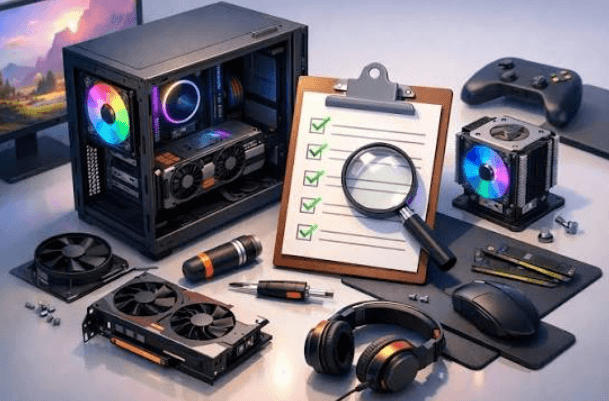
Your Checklist for Building a Better Gaming Setup
Nothing’s more frustrating than sitting down for a gaming session, only to find your internet lagging, your headset not working properly, or your chair getting uncomfortable after half an hour.
A good gaming setup doesn’t necessarily mean spending thousands of dollars on expensive equipment. It’s about making sure everything works together so you can enjoy your favorite games without unnecessary distractions. Whether you’re upgrading an existing space or building one from scratch, here’s what belongs on your checklist.
Choose a Monitor That Suits Your Games
Your monitor can make a noticeable difference to your gaming experience, particularly if you enjoy fast-paced multiplayer games.
Look at refresh rates, response times, and resolution before buying. A higher refresh rate can make movement appear smoother, while a suitable resolution helps games look sharper.
There’s little point investing in an expensive 4K monitor if your computer struggles to run games at that resolution. Make sure your hardware can support your choice.
Get Your Internet Connection Sorted
Nobody wants to lose an online match because their connection suddenly drops. For multiplayer gaming, a stable connection and low latency are particularly important.
If you regularly experience lag, check whether your Wi-Fi signal is strong enough, or connect your console or PC directly to your router with an Ethernet cable.
Your broadband package matters too. Gamers researching Frontier fiber CT can explore available fiber internet options, which may offer faster downloads and improved connection performance depending on the plan.
Remember that faster download speeds won’t automatically eliminate lag, especially if the problem comes from a distant game server.
Invest in a Comfortable Gaming Chair
It’s easy to focus on your equipment and forget about where you’ll actually be sitting.
A supportive chair with adjustable height and proper back support can make longer gaming sessions more comfortable. Your feet should rest comfortably on the floor, and your screen should be positioned so you’re not constantly looking up or down.
You don’t necessarily need a chair marketed specifically for gaming. A well-designed office chair can work just as well.
Pick a Headset That Lets You Hear Everything
Good audio can make games considerably more immersive. In competitive multiplayer games, being able to hear footsteps, approaching vehicles, and teammates clearly can also be useful.
Choose a headset that feels comfortable and has a reliable microphone if you regularly play with friends.
Wireless models offer freedom of movement, while wired headsets eliminate battery-life concerns.
Keep Your Desk Organized
A cluttered desk can make even an expensive gaming setup feel cramped.
Make sure you’ve got enough space for your keyboard, mouse, and other accessories. Cable clips or under-desk organizers can help keep wires from getting tangled.
Also leave enough room around your PC or console for ventilation, as restricted airflow can contribute to overheating.
Get the Lighting Right
Gaming in a completely dark room might seem atmospheric, but poor lighting can make your screen uncomfortable to look at for extended periods.
Consider adding a desk lamp or soft lighting behind your monitor to reduce the contrast between your screen and its surroundings.
RGB lighting can add personality to your setup, but it shouldn’t come at the expense of visibility or comfort.
Getting Your Setup Ready for Game Night
Before spending money on upgrades, think about what currently bothers you most when gaming. Perhaps your internet is unreliable, your monitor feels outdated, or your desk simply isn’t comfortable.
Fixing those problems first will usually make a bigger difference than buying accessories you don’t really need. A good gaming setup should suit your games, your available space, and your budget.