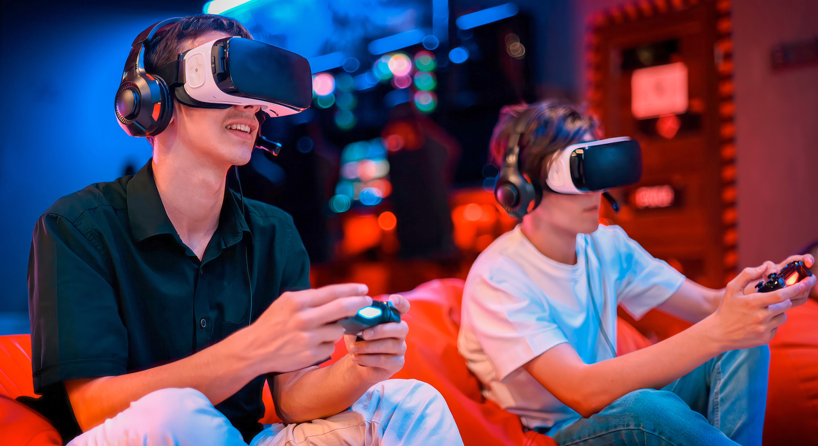
How to Choose a Better VR Entertainment Experience
Virtual reality has moved beyond its early reputation as a niche gaming accessory. Today, a headset can turn a living room into a cinema, concert venue, creative studio, fitness space, or interactive game world. The most engaging experiences do more than place a screen close to the eyes. They create a sense of presence by responding to the user’s head movement, hand position, and choices in real time.
That flexibility has made VR appealing to a wide audience. Some people use it for games and social worlds. Others explore travel, exercise, education, live events, or VRSpy entertainment is another category available on some platforms, although it should always be approached with age verification, consent, privacy awareness, and respect for local laws. Whatever the content, choosing the right device and habits can make the experience more comfortable, secure, and enjoyable.
What makes VR feel immersive?
A virtual reality headset uses displays, lenses, sensors, and software to create a three-dimensional view that changes as the user looks around. Head tracking allows a person to turn their head naturally rather than moving a camera with a mouse or controller. Many systems also track the position of the headset in a room, allowing the virtual environment to respond when the user leans, walks, or changes direction.
Controllers add another layer of interaction. Depending on the device, users can point, grab, press buttons, draw, or use hand tracking instead of physical controllers. Spatial audio can make a sound seem to come from a particular location, which increases the feeling of being present inside a scene. These elements work together, but quality varies between platforms and applications.
A good experience is not defined only by resolution. Comfort, stable tracking, low motion delay, clear audio, useful controls, and well-designed content all matter. A technically powerful headset can still feel disappointing if it is uncomfortable, difficult to adjust, or surrounded by software that is hard to navigate.
Choosing the right type of headset
The first decision is whether to use a standalone, PC-connected, or console-based headset. Standalone devices include their own processor, battery, storage, and operating system. They are usually easier to set up and take to different rooms. Their limits may include shorter battery life, less graphics power than a high-end computer, and the need to manage storage carefully.
PC-connected headsets can deliver detailed graphics and access to a broad library of applications. They may be a good choice for people who already own a capable gaming computer and want advanced simulation, creative tools, or demanding games. The trade-off is a more complicated setup, additional cables or wireless configuration, and a higher total cost.
Console-based systems can be convenient for players who already use a compatible console. Their performance and content selection depend on the console ecosystem. Before buying, check the current compatibility information, required accessories, room-space needs, and whether the applications you want are available on that platform.
Comfort should be a priority
A headset can be impressive and still go unused if it creates pressure, heat, eye strain, or neck fatigue. Weight distribution matters. A device that presses heavily on the front of the face may become uncomfortable during longer sessions, while an adjustable strap can improve balance and stability.
Lens spacing and focus adjustments also deserve attention. Users should take time to align the headset so the image is clear and the lenses sit comfortably. Glasses compatibility, facial interface design, ventilation, and the ability to replace or clean parts can influence the experience over time.
Start with short sessions and take regular breaks. Some people experience motion discomfort when a virtual movement does not match what the inner ear feels in the real world. Reducing session length, choosing applications with comfortable movement options, and stopping when symptoms appear can help. There is no benefit to forcing a session through nausea, headache, dizziness, or eye discomfort.
Understanding streaming and downloaded content
VR entertainment can be delivered in several ways. Some applications download content directly to the headset. Others stream from a computer, console, or online service. Streaming can reduce local storage needs, but it depends on network speed, Wi-Fi stability, latency, and the quality of the provider’s servers.
For video, the quality of the source file matters. A high-resolution video may look soft if it has been heavily compressed, while a smaller file can appear clear when it is encoded efficiently and viewed through a well-adjusted headset. Users should also check whether content is designed for standard screens, panoramic viewing, or interactive VR. A regular video placed on a virtual cinema screen may be enjoyable, but it will not respond in the same way as a scene recorded for immersive viewing.
A stable wireless connection can make a noticeable difference. Place the headset within reliable range of the router, reduce unnecessary network traffic during streaming, and update the device and application when required. If a service supports downloads for offline viewing, that option may be useful in areas with inconsistent internet access.
Exploring VR categories thoughtfully
A large content library can be exciting, but it can also make discovery difficult. Users may find games, cinematic experiences, live events, fitness sessions, social spaces, educational content, simulations, and mature entertainment within the wider VR ecosystem. Categories and filters help people choose content that matches their interests instead of searching randomly.
For viewers exploring different types of VR videos and immersive entertainment, it is helpful to check the format before starting. Some videos are passive, while others are interactive. Some are designed for a seated position, and others require room-scale movement. A description may also indicate whether headphones, controllers, or a particular application are needed.
Adult content requires additional responsibility. Use services such as VRSpy only when you meet the applicable age requirement and have reviewed the site’s rules and privacy practices. Never share or record intimate content without the clear consent of everyone involved. Do not assume that a virtual or digital setting removes the need for privacy, boundaries, or lawful behavior. If a platform provides reporting, blocking, and privacy tools, learn how those controls work before using it.
Privacy in virtual reality
VR devices can collect more information than a traditional screen. Depending on the hardware and software, data may include account details, viewing history, voice interactions, hand movements, room boundaries, device identifiers, and information about how a person interacts with an application. Some platforms may also use cameras and sensors to map the surrounding space or track movement.
Before creating an account, review the privacy policy and permissions requested by the application. Ask whether the service needs access to a microphone, camera, contacts, location, or motion data. Grant only the permissions that are necessary for the features you want. Revisit the settings after updates because privacy options can change as software evolves.
Use a strong, unique password and enable multi-factor authentication when it is available. Avoid sharing an account with people who should not see your viewing history or payment information. If the headset is sold, loaned, or used by multiple people, learn how to remove personal accounts and reset stored data properly.
Privacy also applies to the physical room. A headset camera may see more than the virtual scene. Avoid using passthrough or room-scanning features in spaces that contain sensitive documents, children, private conversations, or other people who have not agreed to be recorded. Be cautious when using voice chat, social applications, or public virtual spaces.
Creating a safe play area
Before starting a room-scale experience, clear the floor and check for tables, pets, cables, low ceilings, and sharp edges. Use the headset’s boundary or guardian system, but do not treat it as a substitute for looking after the real environment. Boundaries can be misconfigured, and objects can move after the system has been set up.
Keep enough room to swing your arms without hitting a wall, light fixture, monitor, or another person. If the experience involves walking or fast movement, consider using a seated mode when available. People nearby should know that the user may not see or hear them clearly. Do not use a headset while driving, walking near traffic, or in any location where reduced awareness could create danger.
Clean the facial interface and controllers according to the manufacturer’s instructions, especially when a device is shared. Avoid exposing electronics to moisture or high heat. Store the headset where children and pets cannot damage it, and keep batteries and charging accessories in good condition.
Social and shared VR experiences
Virtual reality can be social as well as individual. Friends may play together, audiences may attend virtual events, and communities may meet in shared spaces. These experiences can feel more immediate than text chat because people communicate through voices, gestures, and avatars.
Good social design depends on clear boundaries. Use mute, block, and personal-space features when available. Do not share personal information with strangers simply because an interaction feels informal. If someone behaves in a threatening, harassing, or inappropriate way, leave the space and report the account through the platform’s tools.
Parents and guardians should pay attention to age ratings, account controls, chat access, and the difference between adult and general-audience spaces. Adults using mature entertainment should also make sure their accounts are private and protected from accidental access by other household members.
Making a VR setup more enjoyable
A few simple habits can improve nearly any session. Adjust the headset before launching content. Keep the lenses clean with the recommended cloth. Use headphones at a comfortable volume. Charge controllers in advance, and keep a cable or battery pack available if the device supports one.
Choose content that suits the time and space available. A short interactive experience may be ideal for a weekday evening, while a longer film or social event may require more preparation. Seated experiences can be convenient, but they should not force the body into an awkward posture. Change position, stretch, and take breaks rather than staying still for too long.
Finally, allow time to learn the controls. Many disappointing first sessions happen because users start with a complex application before understanding the interface. A short tutorial can make later experiences more intuitive and reduce frustration.
See also: A Practical Guide to Ground Anchoring for Construction Projects
The future of immersive entertainment
VR and mixed reality are likely to continue blending digital content with the physical world. Improvements in displays, passthrough video, hand tracking, spatial audio, and wireless performance may make headsets feel lighter and more natural. Content creators are also experimenting with new ways to combine live events, interactive storytelling, social spaces, education, and entertainment.
As the technology develops, responsible design will remain important. Platforms need clear age protections, meaningful privacy controls, accessible reporting tools, and transparent explanations of how user data is handled. Consumers can encourage better services by reading terms, using available safety features, and supporting creators and platforms that respect consent and personal boundaries.
A better VR experience is not necessarily the most expensive one. It is the one that fits the user’s comfort needs, available space, content interests, privacy expectations, and budget. With careful setup and responsible habits, immersive entertainment can be engaging without becoming overwhelming. Whether the goal is to explore a virtual world, watch a panoramic video, join friends, or discover mature content in an adults-only environment, informed choices make the experience safer and more enjoyable.